#mcp#developers#ai-employees
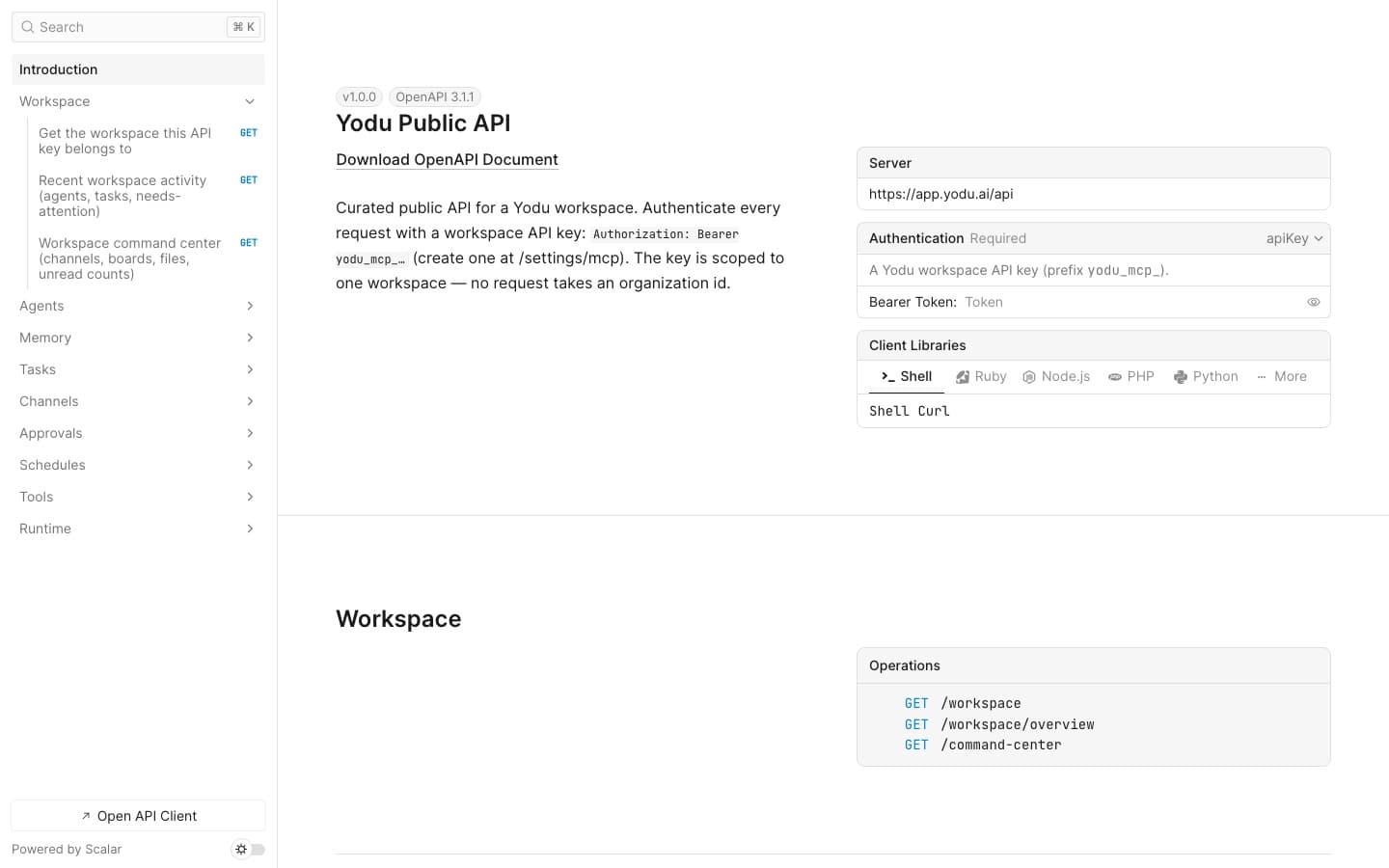
Operate a Yodu workspace from Claude Code with MCPConnect Claude Code to Yodu's Platform MCP, verify the workspace boundary, and use 53 curated tools without exposing stored secret values.
Yodu team
Yodu team
Updated · 5 min read
The model and the tools are different layers.
The model provides reasoning and generation. Tools let an AI employee read or change something outside the conversation. A company should be able to choose both without rebuilding its entire operating system.
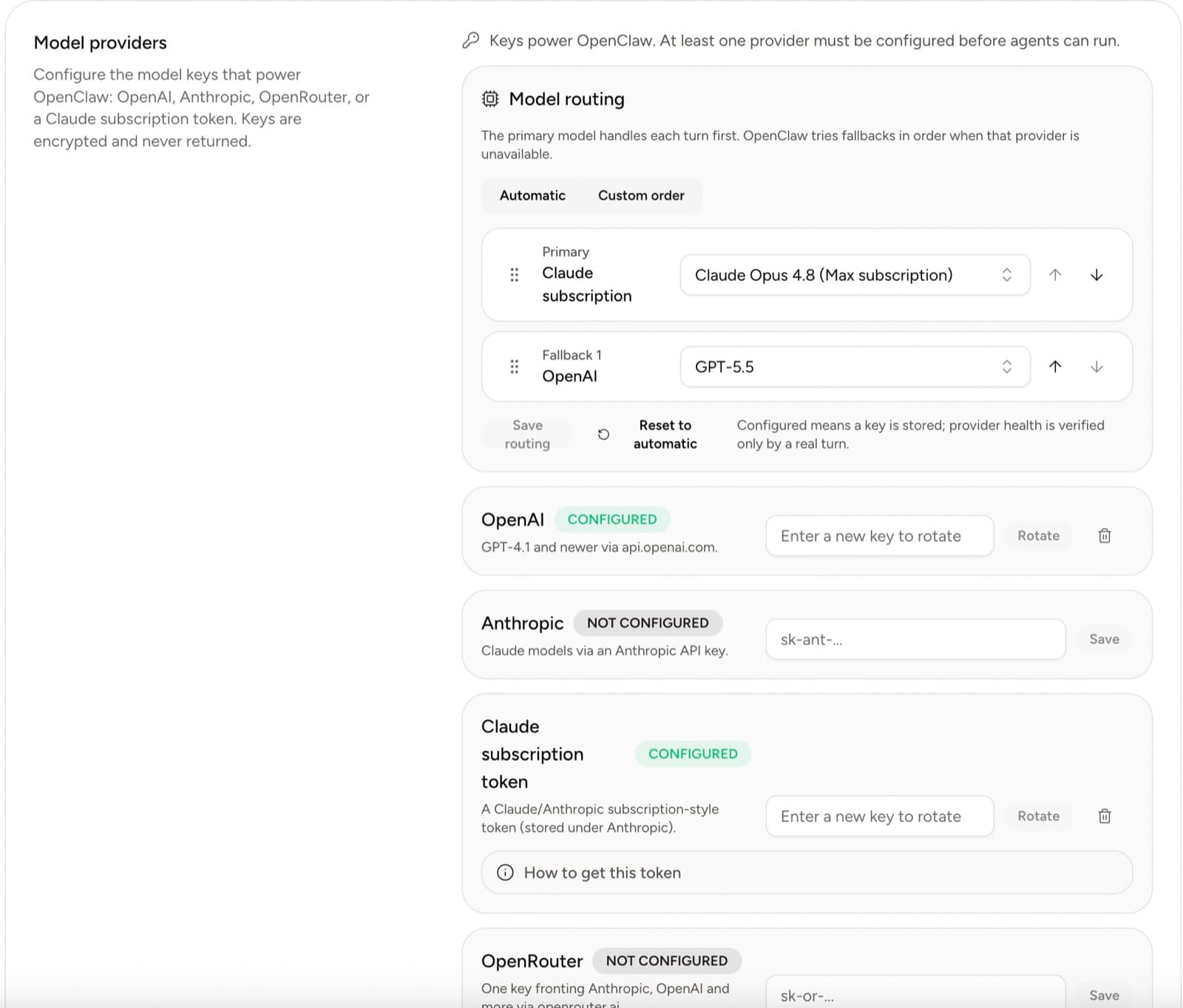
Yodu supports workspace-level model providers and remote custom MCP servers for that reason.
Bring your own model access by configuring a supported provider at the workspace level, then choose models by employee and job. Add private tools through a remote HTTPS MCP server, verify its health, and switch it on for one employee first. Keep credentials encrypted, scoped, revocable, and out of prompts.
Open Organization settings → Yodu.
The current options include:
Provider secrets are encrypted and not displayed after saving. Configure the provider once for the workspace, then select an available model for an employee.
That design follows the same boundary described in OpenAI's API key safety guidance: keep keys out of client-side code and source control, restrict access, monitor usage, and rotate credentials when needed.
Do not assume every role needs the most expensive model.
| Work | What to optimize | | ------------------- | -------------------------------------- | | Deep research | Reasoning, source use, long context | | Support triage | Latency, consistency, clear escalation | | Content drafting | Voice adherence and revision quality | | Engineering | Code reasoning and test discipline | | Scheduled summaries | Predictable cost and stable formatting |
Measure accepted output and rework, not model prestige.
When rotating a key or token:
Never paste the provider secret into chat, memory, files, or employee configuration markdown.
MCP, the Model Context Protocol, defines a standard way for an AI application to discover and call external tools.
Yodu has three distinct MCP surfaces: Platform MCP lets an external client operate Yodu, employee MCP usage lets an employee call an external server, and the custom MCP catalog stores the workspace's approved server definitions. This article covers the employee/custom-server direction. For the external-client direction, use the Platform MCP quickstart.
Use a custom MCP server when:
Examples:
Open Tool access → Custom MCP.
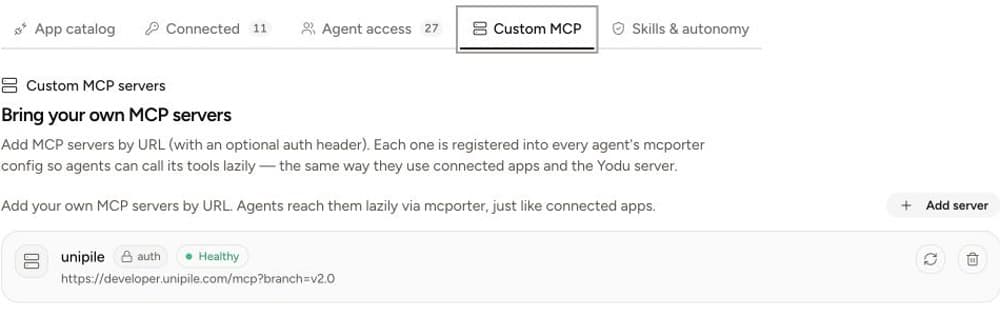
Add:
Yodu stores the authorization value as a workspace secret and checks the server's protocol health. Use the re-test control whenever the endpoint or credential changes.
A green health state proves connectivity and protocol compatibility. It does not prove that every exposed tool has the right scope.
Design narrow tools:
Good:
get_customer_usagesearch_contractsdraft_crm_noteRisky:
run_sqladmin_actiondo_everythingThe smaller the tool surface, the easier it is to understand the grant and review the result.
The official MCP authorization specification is based on OAuth 2.1 and protected-resource metadata for remote protected servers. When a server supports that flow, use scoped, revocable authorization rather than a broad long-lived token.
Yodu's current custom-server form also supports an optional authorization header for servers that use a direct credential. Treat it as sensitive workspace access.
| Metric | Why it matters | | ------------------------------- | ------------------------------------------------------- | | Accepted output by model | Shows whether model choice helps the job | | Rework rate | Reveals instruction or model mismatch | | Cost per accepted output | Connects provider spend to useful work | | MCP health checks passed | Confirms basic reachability | | Tool actions reviewed | Shows whether the private capability is being inspected | | Tools switched off after review | Reveals access cleanup and learning |
Bring-your-own access should increase choice without weakening policy.
The workspace chooses the providers. The job chooses the model. The company connects the server. The employee receives only the capability it needs. The human remains responsible for the boundary.
Follow the model access guide, review the tool-connection model, then use the MCP server security checklist before granting a private capability to an employee. To operate Yodu itself from another AI client, compare the REST and MCP paths on the developer platform.
Practical guides related to this workflow.
Connect Claude Code to Yodu's Platform MCP, verify the workspace boundary, and use 53 curated tools without exposing stored secret values.
Yodu team
How to scope a remote MCP server, protect authorization, test health, review exposed tools, and roll access out to one AI employee at a time.
Yodu team
How our AI employees review search performance, find gaps in the API catalog, research providers, and prepare seller outreach for approval.

Shashank Agarwal