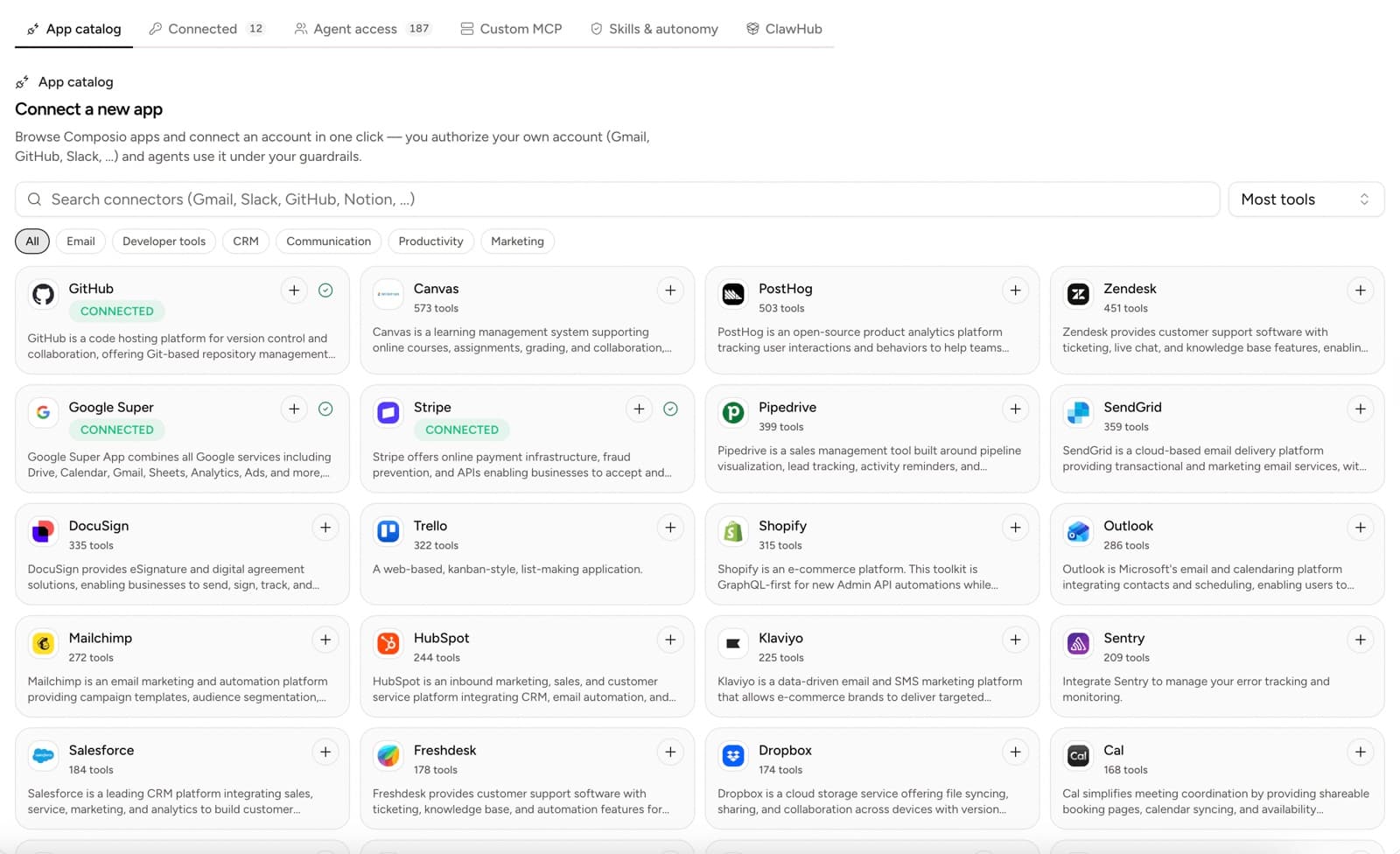
The hardest question in our onboarding is not about model quality. It is some version of: "You want my Gmail, my Stripe, and my GitHub, and an AI is going to use them while I am in a meeting?"
Fair question. A policy page is the wrong answer. Here is the actual architecture, layer by layer, in terms of what the system cannot do.
Quick answer
Each Yodu workspace runs OpenClaw in its own Docker container on a managed runtime host, reachable only through Yodu's command queue, never over an inbound port. Keys are encrypted and can be rotated but never read back. Every external or irreversible action pauses at the approval gate for allow once, this session, or deny, each tool is a per-employee switch that hides it entirely when off, and backups run on a schedule with visible evidence.
One container per workspace
Every workspace runs OpenClaw in its own Docker container on a managed runtime host. Your employees, your files, your tool credentials, and your conversation state live inside that container and nowhere else. There is no shared agent process serving multiple customers, so a problem in someone else's workspace stops at their wall, not yours.
Nothing dials in
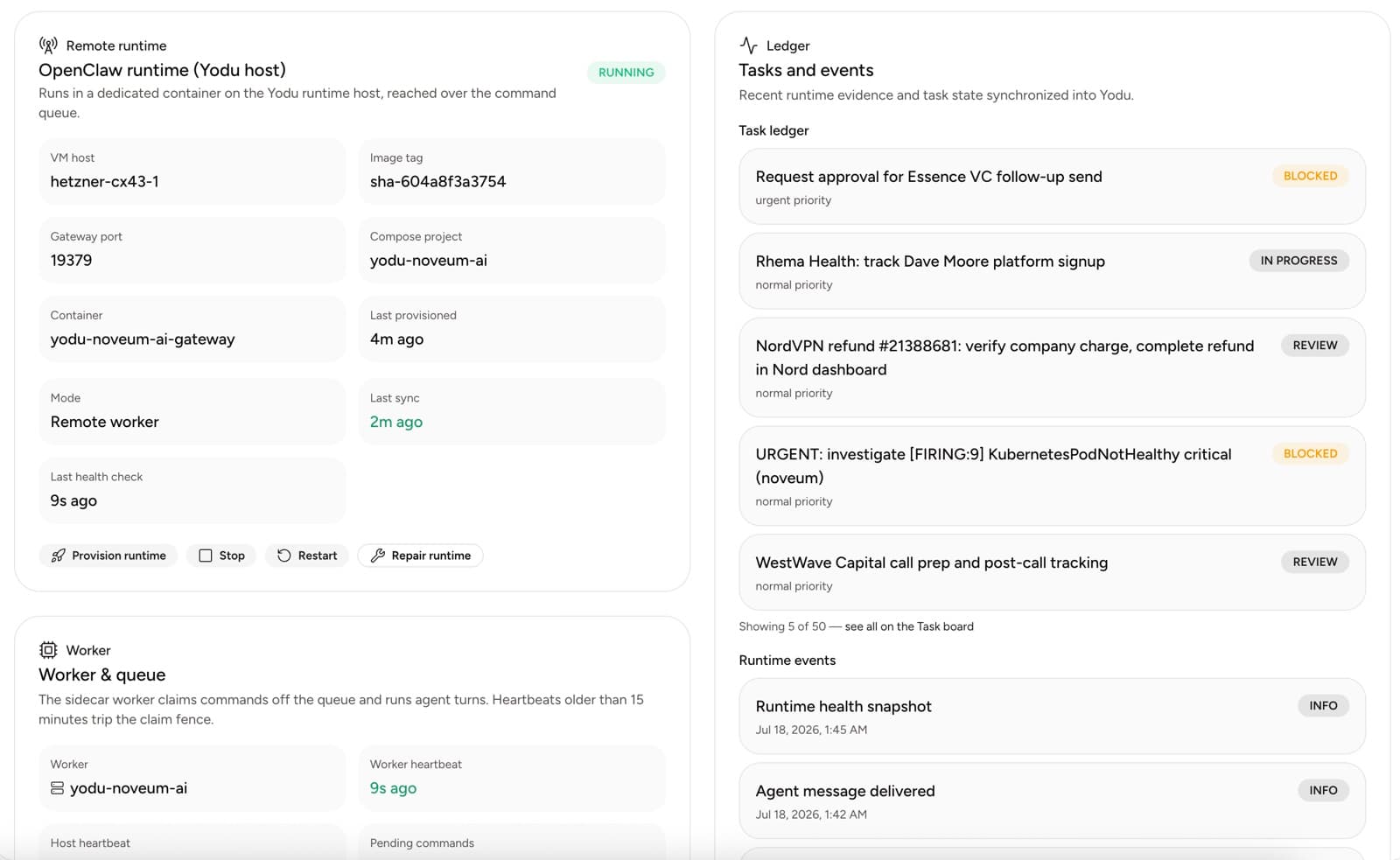
The container is not reachable from the internet. Its ports are private, and the application never opens a direct connection to it. Instead, work travels through Yodu's command queue: the platform enqueues a command, a sidecar worker inside the runtime claims it off the queue, runs the agent turn, and reports back. Worker heartbeats are tracked, and a heartbeat older than fifteen minutes trips the claim fence so a dead worker cannot silently hold work.
This is all inspectable, not asserted. The Runtime operations screen shows the host, the container, the gateway port, the last health check, the last sync, and the pending command count, next to a ledger of recent runtime events.
Keys you can rotate but never retrieve
Provider keys, MCP credentials, and workspace secrets are encrypted at rest and write-only from that point on. No API endpoint, no MCP tool, and no screen in the product returns a stored secret value. Listing secrets returns names and metadata. If a key is lost, you rotate it; there is no path, for you or for us or for a confused agent, that reads it back out.
The practical consequence: an employee can use your Stripe account without any prompt, memory page, or task ever containing the Stripe key.
The approval gate
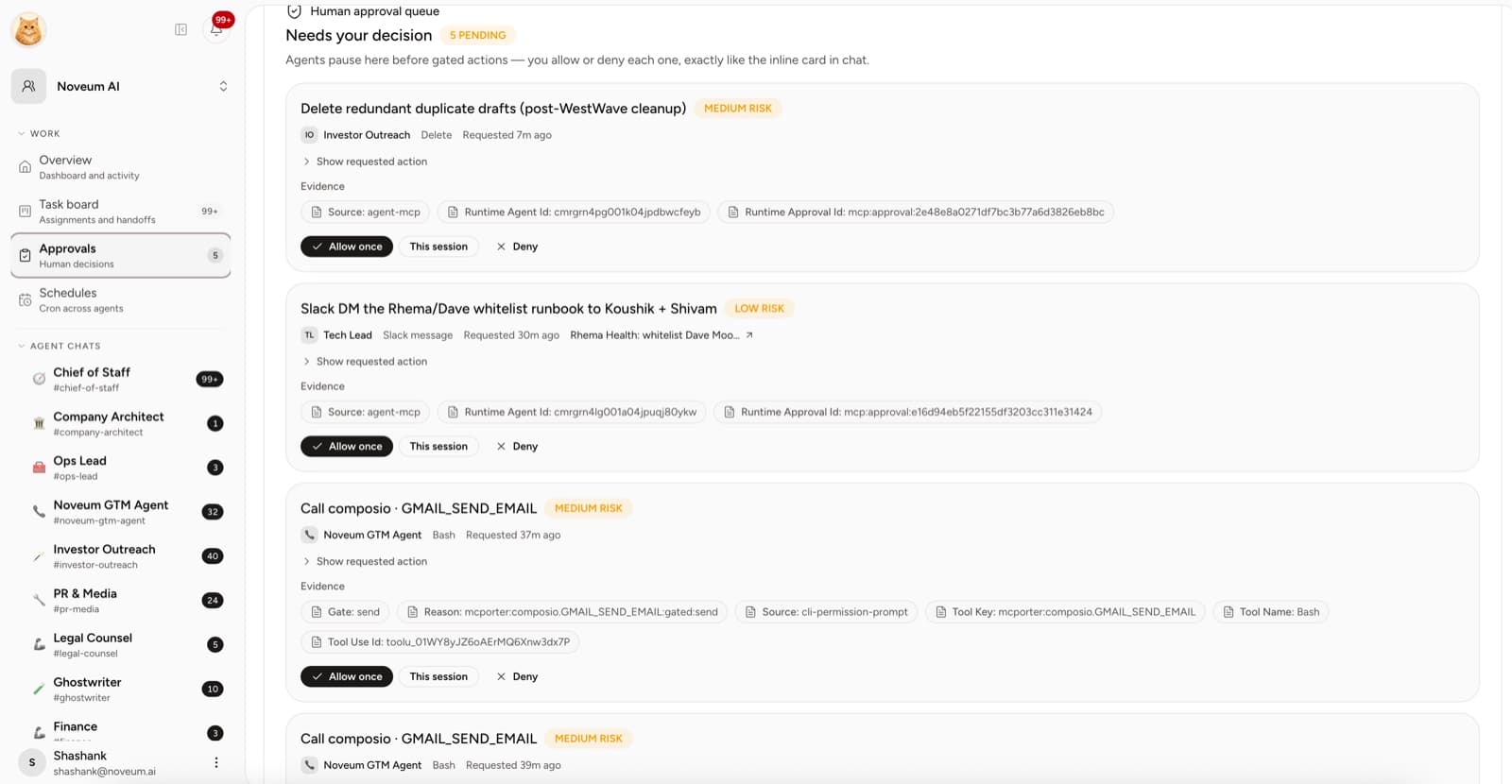
Capability and permission are separate questions. An employee with Gmail switched on can read and draft freely, but anything external or irreversible pauses before it runs: sending, posting, publishing, spending, deleting.
The paused action appears as an inline card in chat and in the Approvals queue, with its evidence attached: which employee, which exact tool call, which gate rule fired, and the runtime approval id, so you are approving a specific action rather than a vibe. Your options are Allow once, This session, or Deny. Allow once is the right habit for a new workflow; This session exists for the day a proven workflow needs twenty sends.
One switch per employee
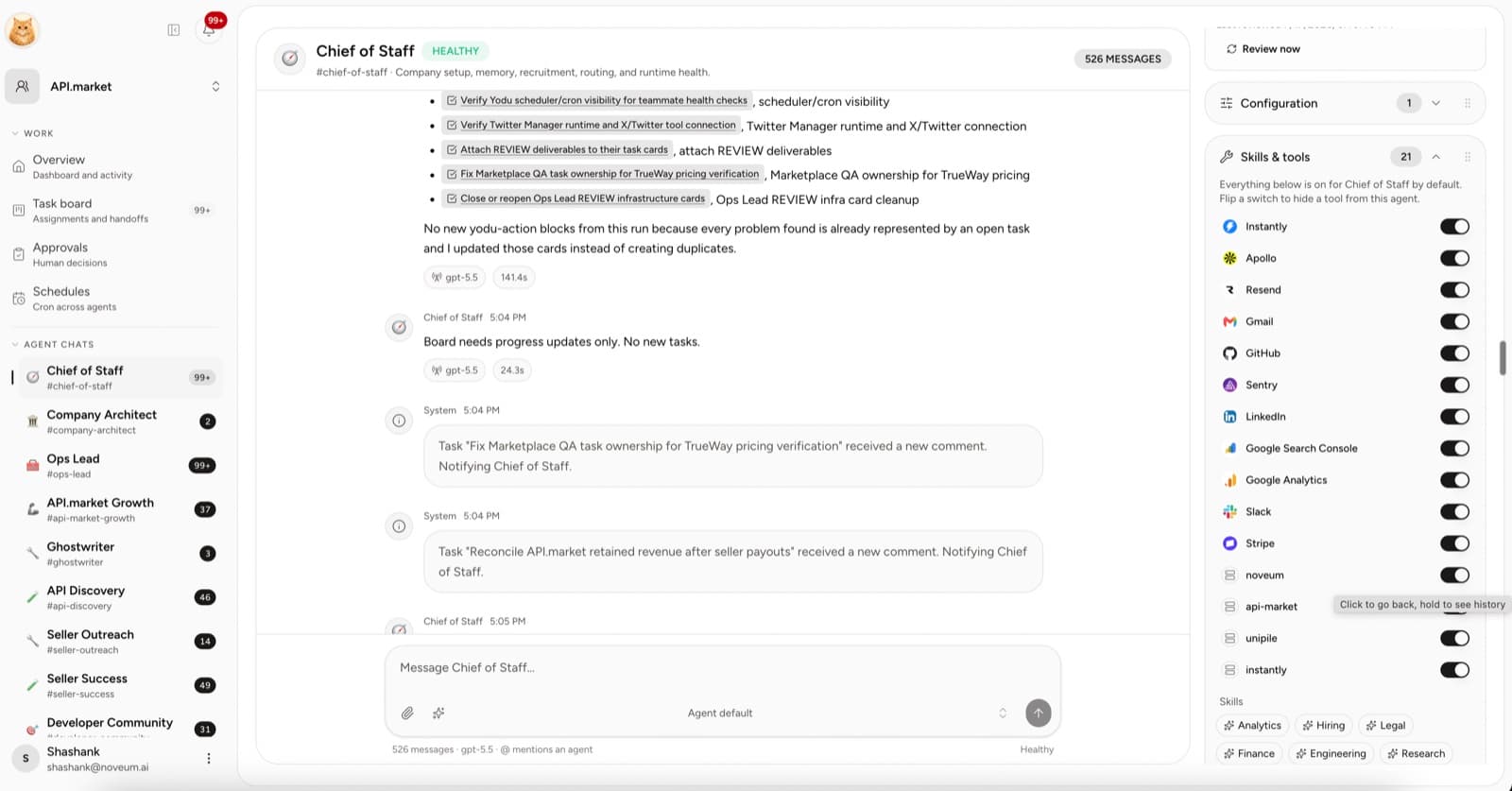
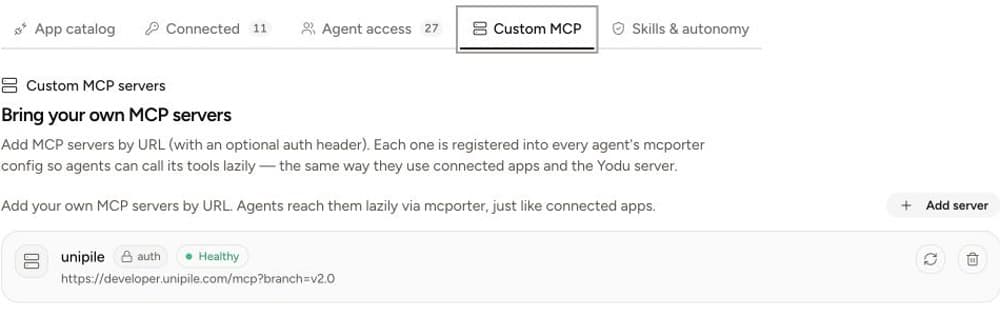
Each connected app and custom MCP server is a per-employee switch, on by default, off means hidden entirely. Off is not "present but blocked": the tool definition never reaches the model, so the support employee with Stripe switched off cannot see, call, or ask about Stripe. Visibility is decided before the model runs, which is what makes the guarantee enforceable.
Backups with evidence
The runtime takes scheduled backups of workspace state, and the operations screen shows the runs. We treat "we back up your data" as a claim that should be checkable from inside the product, the same way health checks and sync times are, rather than a sentence in a FAQ.
Models fail over, loudly
Model access is routed through a primary provider with ordered fallbacks across OpenAI, Anthropic, OpenRouter, or a Claude subscription. A provider outage degrades to your next choice instead of silently stalling scheduled work, and the model used for each turn is visible on the message.
Even our own front door is scoped
When you operate Yodu from Claude Desktop, Claude Code, or Cursor, you connect through Platform MCP at https://app.yodu.ai/api/mcp with a scoped, revocable key per client, following the remote-server model in the MCP authorization specification. That surface deliberately cannot read secrets, touch billing, manage members, or delete the workspace; the exact boundaries are documented in Yodu scopes and security. The limits we ask you to trust are the same ones we impose on ourselves.
What this adds up to
Trust here is structural, not behavioral. The container isolates. The queue removes inbound access. The secrets are unreadable by design. The gate pauses everything irreversible, and the switch hides everything unneeded. You are not betting on an agent behaving well; you are betting on walls that hold whether it behaves or not.
If you are wiring up your first account, start with the tool connection guide, then read why tool access became one switch for the reasoning behind the permission model.