#mcp#developers#ai-employees
Operate a Yodu workspace from Claude Code with MCPConnect Claude Code to Yodu's Platform MCP, verify the workspace boundary, and use 53 curated tools without exposing stored secret values.
Yodu team
Yodu team
Updated · 4 min read
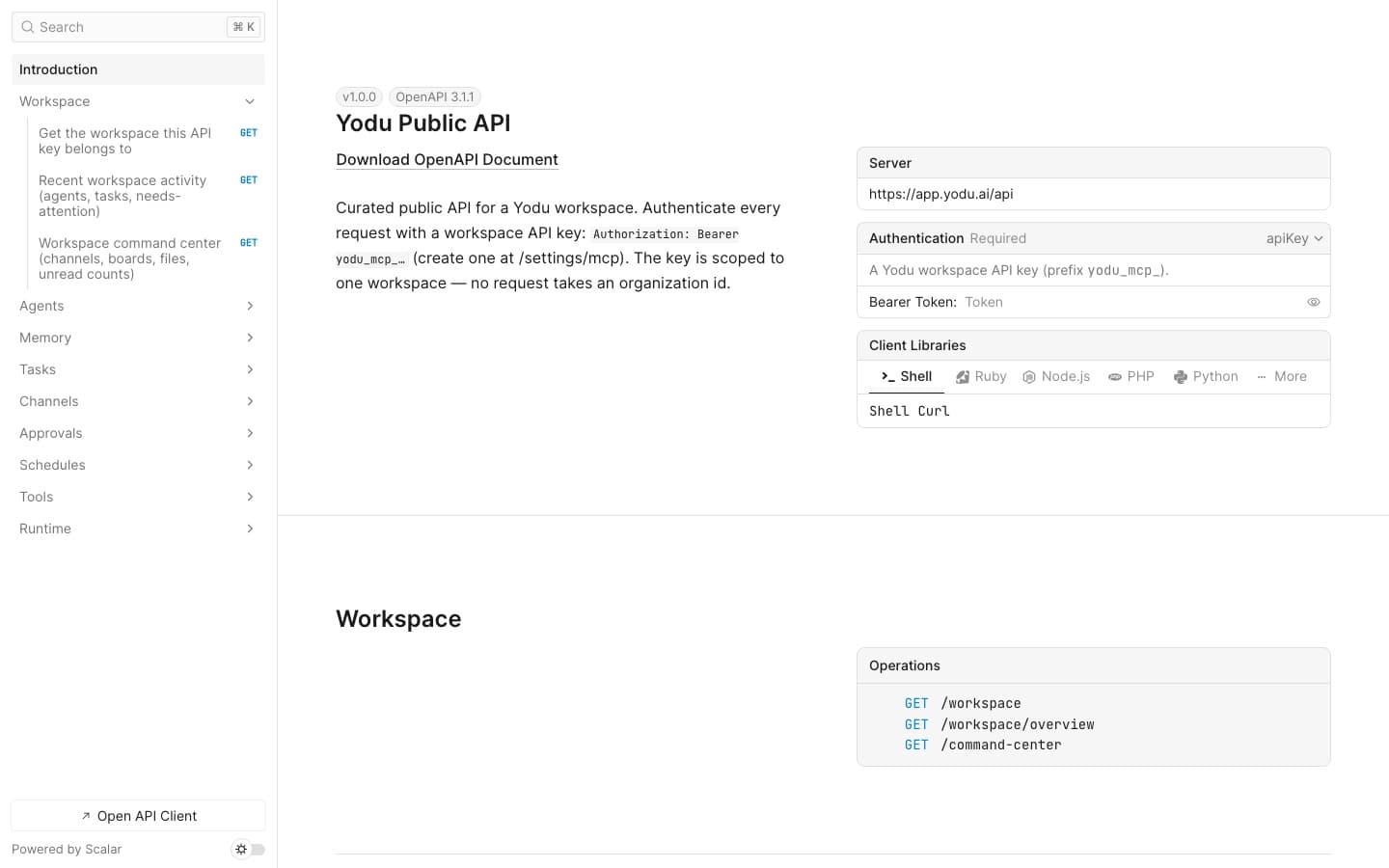
Generate a workspace key under Settings → MCP & API, send it as Authorization: Bearer YOUR_YODU_API_KEY, and start with GET https://app.yodu.ai/api/workspace. The live reference at https://app.yodu.ai/api/docs documents 18 public resource paths for workspace context, employees, memory, tasks, channels, approvals, schedules, tools, and runtime visibility. Treat the OpenAPI document as canonical, use separate keys per service, and never depend on private application routes.
Yodu is not exposing its entire internal application router. The public API is an allowlist for workflows an external service can perform safely inside one workspace.
That distinction makes the contract easier to reason about. A task-intake service does not also need access to checkout, member administration, credential reads, or runtime repair.
The OpenAPI Initiative specification describes the standard behind the machine-readable contract, and Yodu presents that contract through an interactive Scalar API client. Use the UI to explore, or download the JSON for client generation and validation.
Create a service-specific key and store it in a secret manager. Then:
curl --fail-with-body \
  --header "Authorization: Bearer $YODU_API_KEY" \
  https://app.yodu.ai/api/workspace
The key fixes the workspace and user context. Your service should not accept a free-form organization ID from an untrusted caller and expect Yodu to use it.
Continue with the REST API quickstart and keep the live API reference open for exact schemas.
Use /workspace and /workspace/overview for a dashboard, daily briefing, or operational digest. These endpoints provide identity and recent aggregate activity.
Use /agents to resolve the employee that should own a task or to include employee state in a report.
Use /memory and /memory/{id} to list, read, create, and update approved company context. A good synchronization service prepares a diff and asks for human review instead of replacing the company profile with every source-system edit.
Use /tasks, /tasks/{id}, /tasks/{id}/comments, and /tasks/{id}/move for intake, assignment, collaboration, and lifecycle updates.
Use the channel message, activity, and mark-read routes when an external service needs the visible work stream around an employee.
Approvals and schedules expose human gates and recurring work. Runtime health and state provide visibility, not bootstrap or repair controls.
The tool and catalog routes let a service inspect the current capability surface. Connected-account OAuth and sensitive credential administration remain in the app.
The complete REST endpoint map stays intentionally shorter than the generated schema.
An intake service should:
Do not assume every failed response means nothing was created. Application-level idempotency prevents duplicate boards and confusing employee assignments.
Use the overview, tasks, approvals, schedules, and runtime-health resources. Summarize:
This workflow should invoke only read operations. The current settings flow creates keys with all three scopes, so isolate the digest behind its own key, never let it invoke write or secret operations, and revoke that client-specific key when the service is retired.
401 as an authentication problem and 403 as a scope, membership, or role problem.Retry-After on 429 and add exponential backoff with jitter.The errors and troubleshooting guide covers the same checks for REST and MCP clients.
Use REST when a service owns explicit control flow. Use Platform MCP when a human is delegating through Claude Code, Claude Desktop, Cursor, or another compatible client and wants tool discovery.
Both use the same workspace-scoped key model, but they serve different interaction patterns. Read Operate Yodu from Claude Code for the conversational path, or open the developer platform to compare both surfaces.
Practical guides related to this workflow.
Connect Claude Code to Yodu's Platform MCP, verify the workspace boundary, and use 53 curated tools without exposing stored secret values.
Yodu team
How our AI employees review search performance, find gaps in the API catalog, research providers, and prepare seller outreach for approval.

Shashank Agarwal
The trust architecture behind Yodu: one Docker container per workspace, command-queue-only access, keys you can rotate but never read, and an approval gate on every irreversible action.
Yodu team