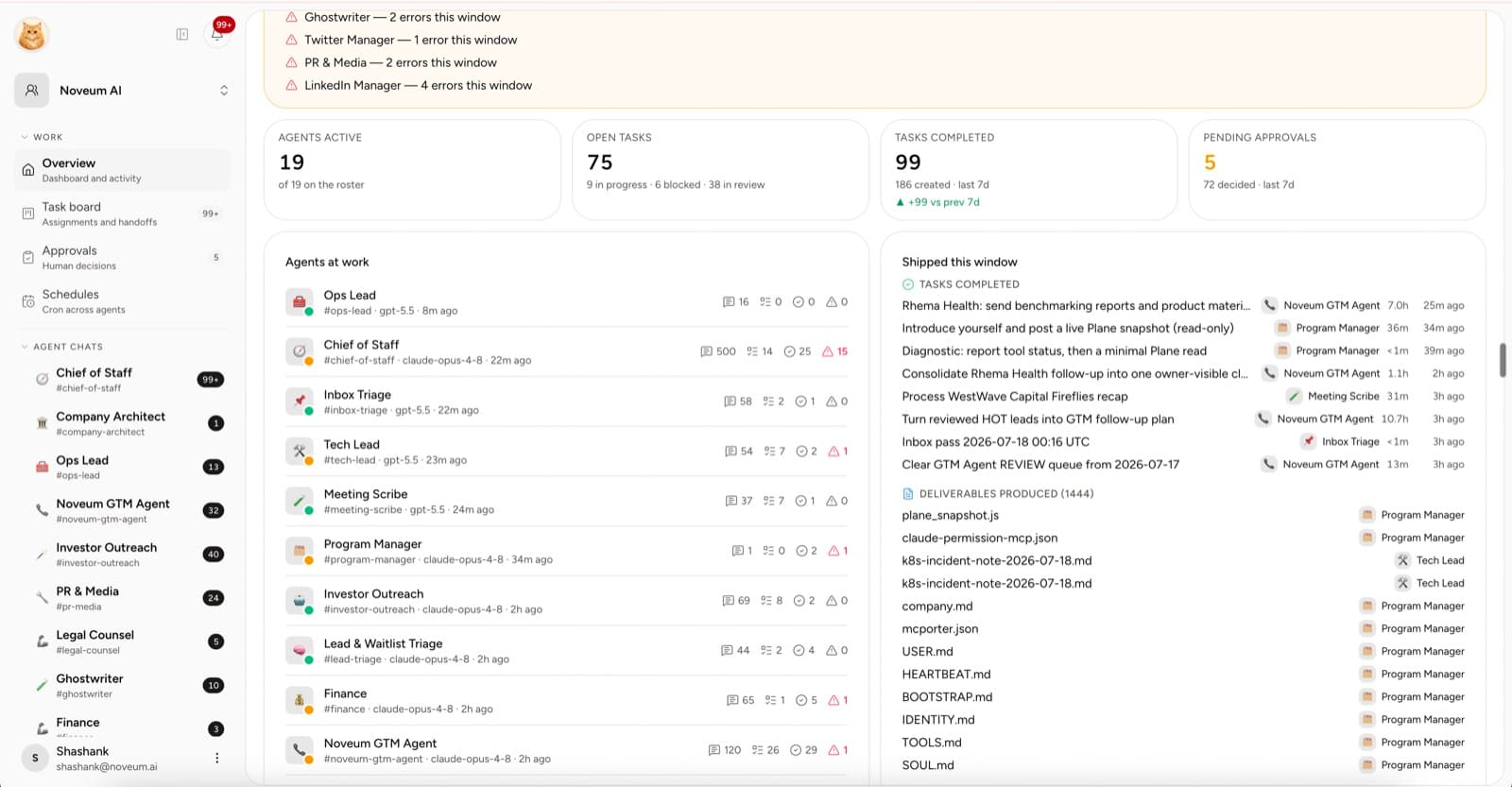
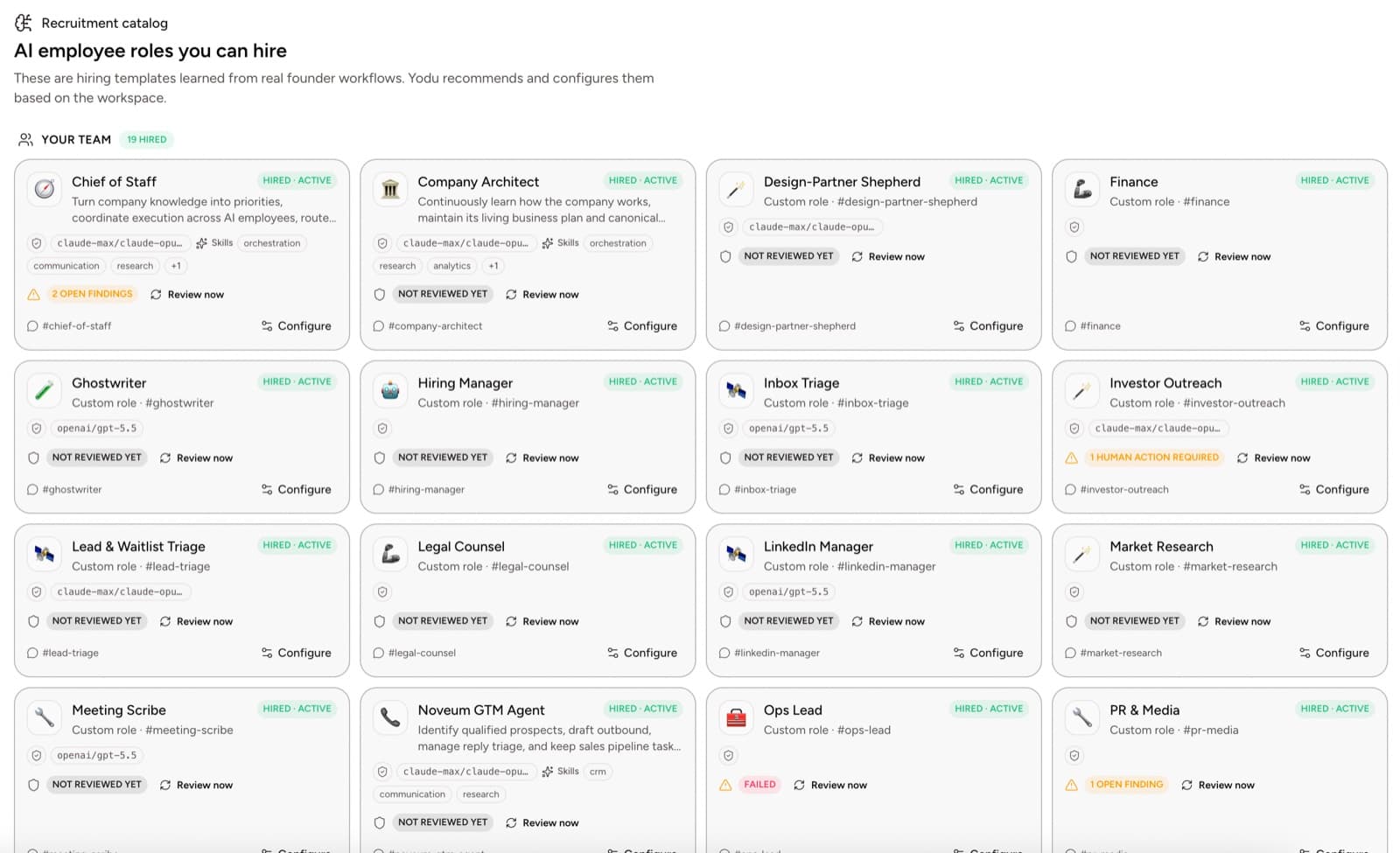
A chatbot waits for a prompt. An AI employee has a job.
That sounds like marketing until you make the distinction operational.
The difference is not whether the model can write. It is whether the system knows who owns the work, what context applies, which tools are allowed, where the output belongs, and when a human must decide.
Quick answer
A chatbot handles a conversation. Workflow automation repeats deterministic steps. An AI employee owns a defined job across context, tasks, tools, files, schedules, and review. Use chat for one-off thinking, automation for predictable rules, and an AI employee when the work needs continuity, judgment, and accountable handoffs.
Three different products
| Product | Best at | What the human still owns |
| ------------------- | --------------------------------------------------------------- | ------------------------------------------------------------- |
| Chat assistant | One-off thinking, drafting, and questions | Repeating context, saving output, follow-up, and coordination |
| Workflow automation | Predictable steps with stable inputs | Designing exceptions and handling judgment-heavy cases |
| AI employee | A recurring job with context, tools, task ownership, and review | Direction, standards, access, and consequential decisions |
All three are useful. Problems begin when a company expects one to behave like another.
Why chat alone stops scaling
Chat works beautifully for an individual session. It becomes fragile when a team needs continuity.
The user has to remember:
- which conversation contains the latest context
- whether the output became a real task
- who is supposed to follow up
- which file is current
- whether an external action was approved
- whether the work should repeat next week
Microsoft's 2025 Work Trend Index reported that employees were interrupted 275 times per day by meetings, email, or chat. Adding more disconnected chat threads is not an operating model.
What makes an AI employee different
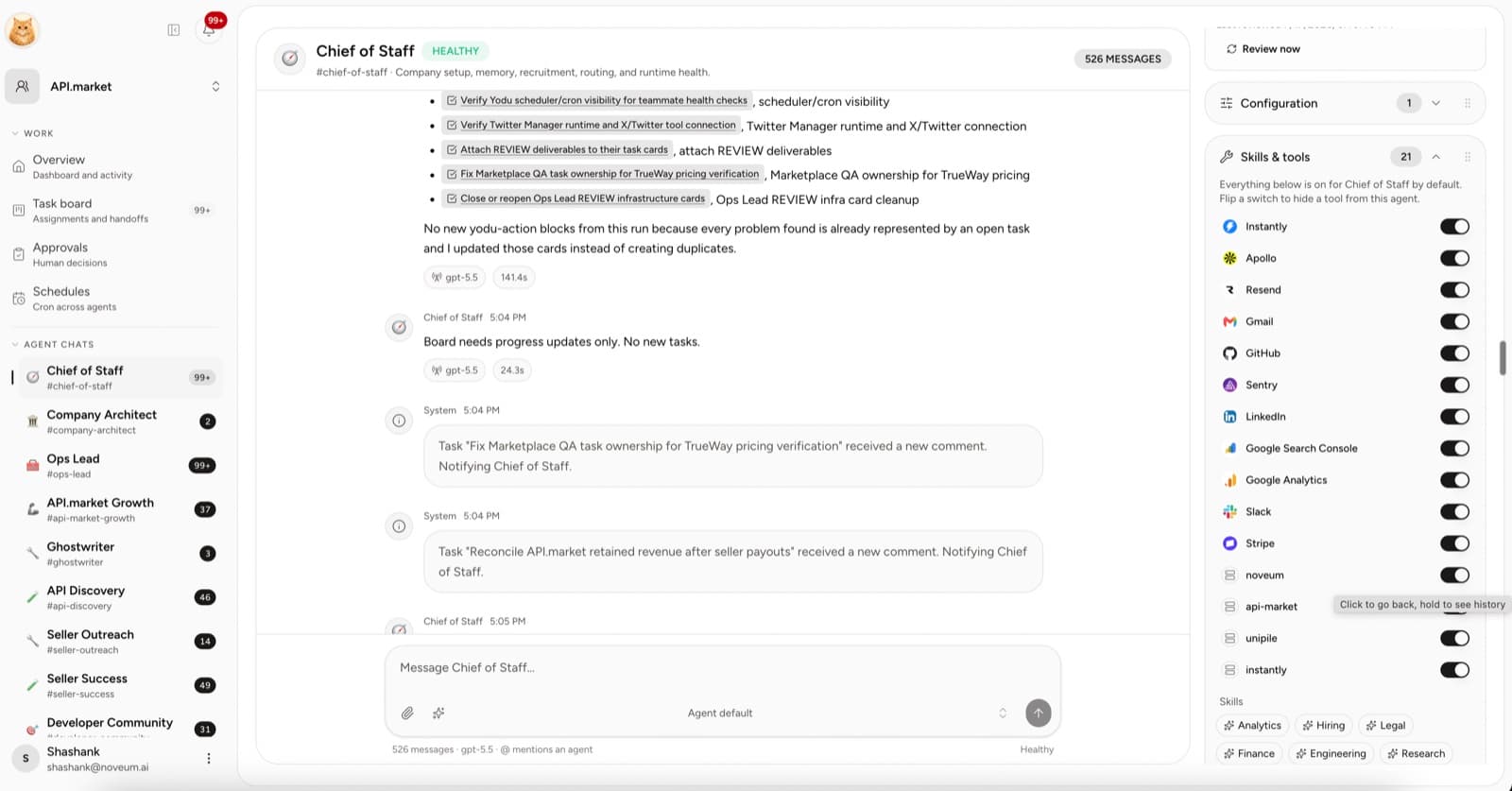
An AI employee needs seven things around the model.
1. A role
The system defines the job, success criteria, boundaries, and escalation path.
2. Company context
The employee can use the company profile, shared knowledge, role guidance, and task files instead of rebuilding context from every prompt.
3. A work queue
Meaningful asks become tasks with an owner and status.
4. Tool access
The company connects accounts once and grants them to the employees who need them.
5. An approval gate
Anything external or irreversible, such as sending, publishing, spending, or deleting, pauses for a human decision: allow once, allow for the session, or deny.
6. Files and evidence
The output stays attached to the work instead of vanishing into a transcript.
7. A schedule
Recurring jobs have an owner, cadence, last run, and next run.
When a chatbot is still the right choice
Use a chatbot when:
- the task is genuinely one-off
- you are still exploring the question
- no business system needs to be touched
- the output does not need an owner or lifecycle
- you are comfortable moving the result manually
Do not create an employee for every conversation.
When a workflow builder is better
Use a conventional workflow when the process is deterministic:
- move a form submission into a table
- send a fixed alert
- transform a known payload
- synchronize a stable field mapping
An AI employee becomes useful when the work requires judgment, source reading, drafting, exceptions, or a human review loop.
A simple test
Take one recurring task and run it both ways for two weeks.
For the chatbot version, record:
- time spent rebuilding context
- time spent moving the output
- missed follow-ups
- human correction time
For the employee version, record:
- accepted outputs
- major revisions
- blocked time
- cycle time
- external actions that needed approval
The employee approach wins only if the full handoff becomes easier, not merely because the first draft appears faster.
The deeper shift
Microsoft's 2026 research describes the opportunity as more human agency when AI takes on execution. That requires the human to remain responsible for direction and outcomes.
Yodu is designed around that division of labor. Humans decide what matters and what risk is acceptable. AI employees take ownership of the execution that fits a clear job. The workspace keeps both sides legible.
See the operating model
Tour the Yodu command center, then use the practical guide to run a company with AI employees without turning chat history into the operating system.