Build with the Yodu API and MCP.
Create tasks, configure employees, and read workspace data from your own applications or a compatible AI client. Start with the REST API or connect through Platform MCP.
Public REST API
Use documented HTTP resources for workspace context, employees, memory, tasks, channels, approvals, schedules, runtime visibility, and tools.
https://app.yodu.ai/api/*Run the REST quickstartPlatform MCP
Let a compatible AI client discover named tools for reading the workspace, creating work, configuring employees, and installing write-only credentials.
https://app.yodu.ai/api/mcpConnect an MCP client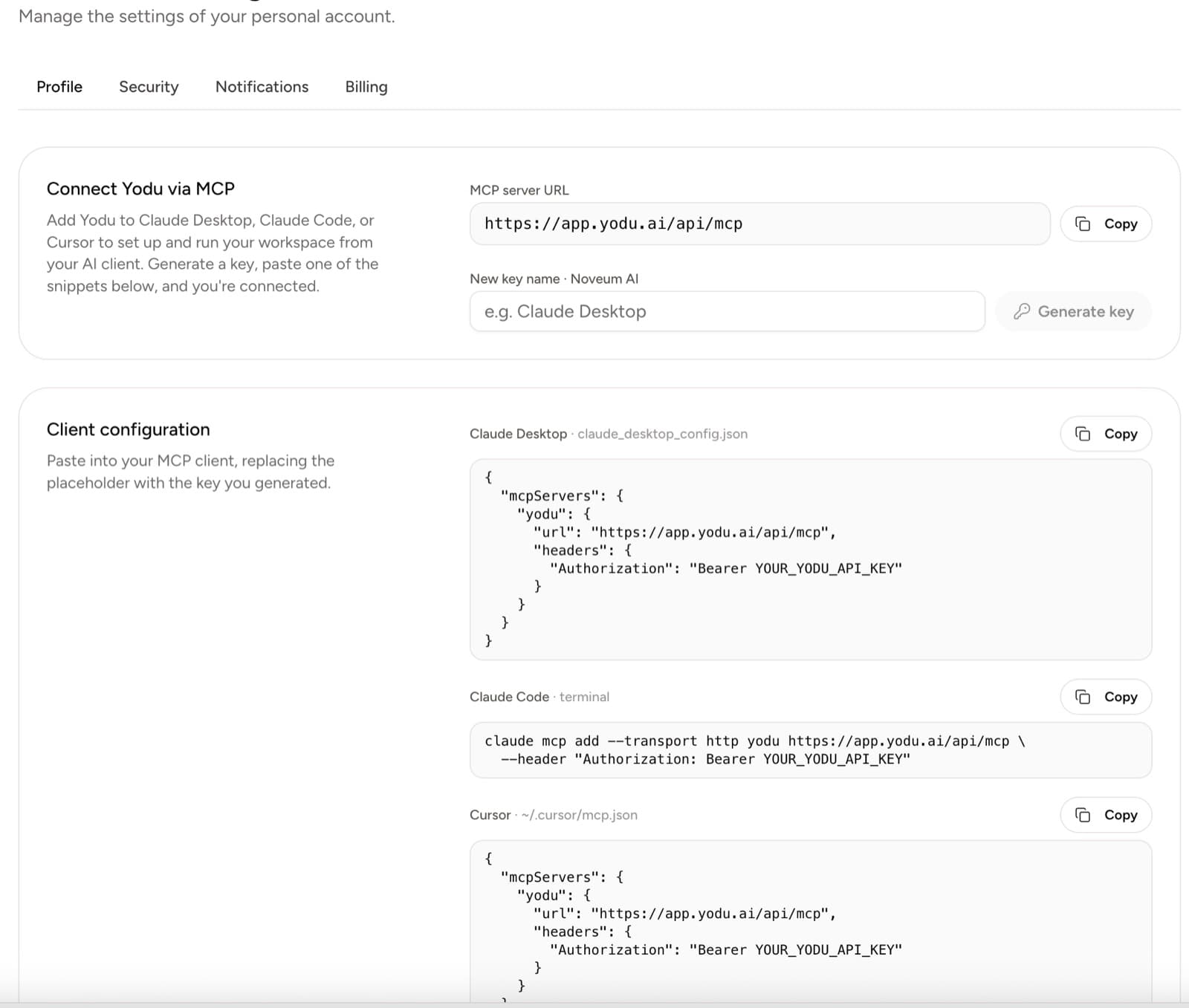
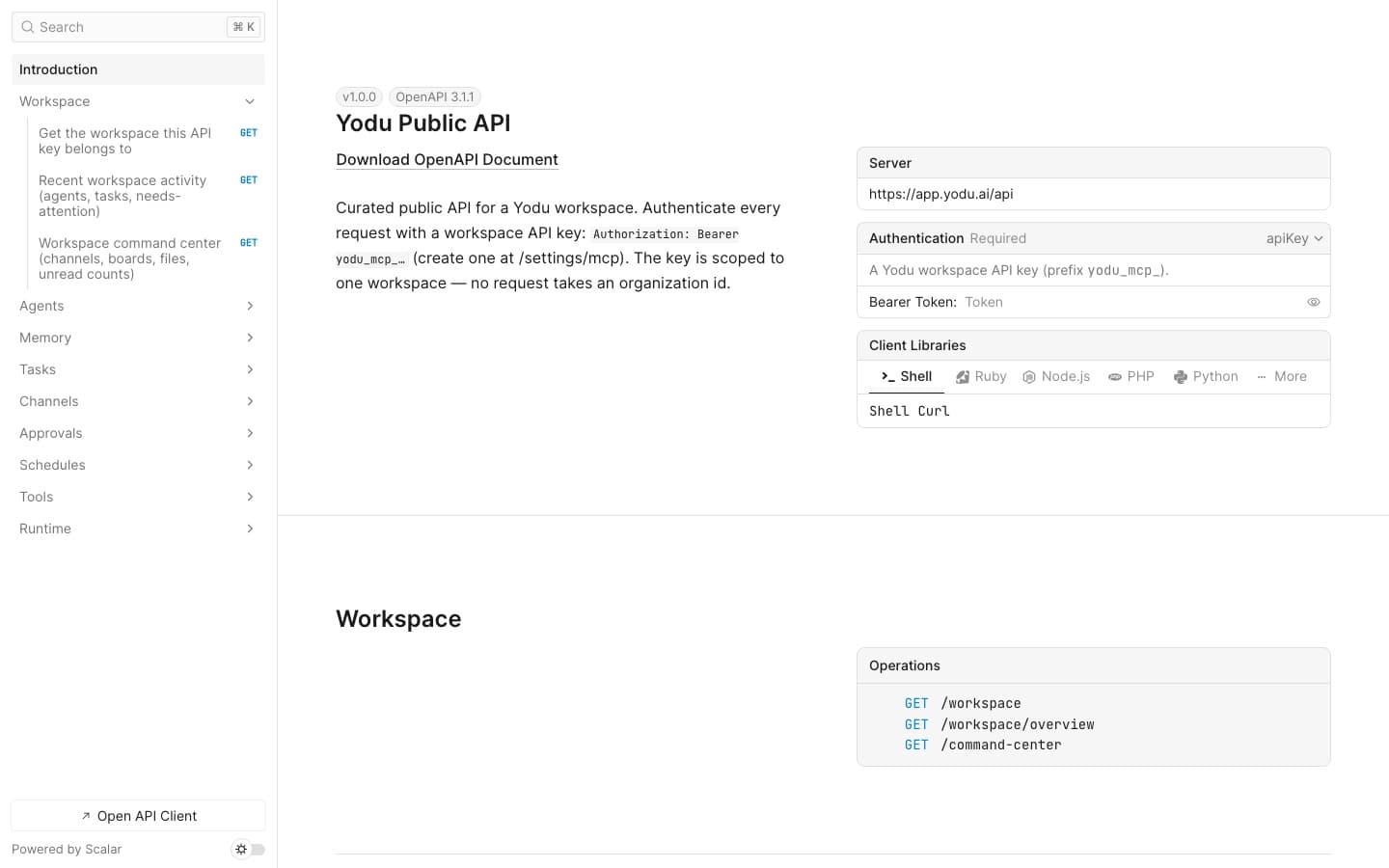
Explore endpoints, requests, and responses.
Use the interactive API reference to inspect available resources and their schemas. Download the OpenAPI specification to build your integration.
Workspace
/workspace · /workspace/overview
Employees
/agents
Memory
/memory · /memory/{id}
Tasks
/tasks · /tasks/{id} · /tasks/{id}/comments · /tasks/{id}/move
Channels
/channels/{channelId}/messages · /channels/{channelId}/activity · /channels/{channelId}/mark-read
Operations
/approvals · /scheduled-jobs · /runtime/health · /runtime/state
Tools
/tools · /tool-catalog
Manage tasks, employees, and workspace settings.
Every tool derives its workspace from the verified key. Members can read and create work; owner or admin access is required for employee configuration and protected credentials.
Read the workspace
24Inspect workspace identity, employees, role templates, memory, tasks, runtime health, and configured secret metadata without revealing values.
- get_workspace
- get_workspace_overview
- get_workspace_settings
- list_agents
- list_secrets
- list_role_templates
- list_agent_configs
- list_models
- get_agent_skills
- list_connected_tools
- list_agent_files
- list_memory
- read_memory
- list_tasks
- read_task
- get_runtime_health
- get_runtime_state
- get_runtime_command_status
- list_custom_mcp_servers
- list_scheduled_jobs
- list_connected_github_for_coding
- list_cloud_agent_connections
- get_cloud_agent_setup_guide
- list_management_grants
Create tasks and update memory
6Create and update durable memory, then add assigned work to the task board.
- create_memory
- update_memory
- create_task
- update_task
- move_task
- comment_task
Configure employees
22Recruit, provision, and set operating documents, autonomy, models, skills, and safe custom skill or script files.
- activate_memory
- set_memory_status
- create_agent
- provision_agent
- repair_workspace_runtime
- set_workspace_model_routing
- set_workspace_runtime_resources
- set_workspace_cost_guardrail
- set_agent_autonomy
- write_agent_config
- set_agent_model
- set_agent_role
- set_agent_skills
- set_agent_cloud_coding
- set_agent_tool_access
- create_scheduled_job
- update_scheduled_job
- delete_scheduled_job
- run_scheduled_job
- activate_scheduled_job
- write_agent_file
- update_management_grant
Configure credentials
7Register custom MCP access and store provider, workspace, or employee credentials without reading values back.
- add_custom_mcp_server
- remove_custom_mcp_server
- set_model_provider_key
- connect_cloud_agent
- connect_cloud_coding_repo
- update_cloud_agent_connection
- set_workspace_secret
ACCESS AND PERMISSIONS
One key. One user. One workspace.
Current settings-created keys carry all three scopes. Every request still checks the fixed workspace, current membership, and manager role; secret values are write-only, and sensitive administration never enters the public surface.
workspace:readRead workspace context, work, employees, memory, and operational health.
workspace:writeCreate work and memory, and configure employees when the user is a manager.
secrets:writeStore protected configuration as an owner or admin; never reveal it later.
Make your first API call.
Generate a key for your client, confirm it returns the correct workspace, and follow the quickstart to create a task.